

A practical guide to GPU, TPU, NPU, memory, and performance decisions
AI accelerator chips can make model execution faster, but a useful infrastructure decision starts with your application's bottleneck—not a peak-throughput headline.
Technical review date: 19 October 2026. Product integrations change; use the linked compatibility documentation when implementing. All performance and cost examples below are explicitly hypothetical. Memory examples are calculations, not measurements.
You deploy a language model. It loads successfully. One user gets a reasonable response. Ten users arrive, and the queue starts growing.
Would a faster chip fix it?
Perhaps. But first you need to know what is waiting: the arithmetic, the memory, the scheduler, or another service.
That question is the useful entry point into AI accelerators. The chip matters because of the work it can complete inside your application's constraints.
The useful unit of progress is a completed task.
This tutorial explains what an accelerator is, why it exists, and how its architecture changes developer decisions. We will calculate model memory, examine an LLM request, build a small timing experiment, and design a fair hardware evaluation.
Visual reading path: 01 The system → 02 The math → 03 The chip → 04 The bottleneck → 05 The memory → 06 The request → 07 The software → 08 The experiment → 09 The economics → 10 The decision.
1. What is an AI accelerator?
An AI accelerator is hardware designed to execute important AI computations efficiently. In deep learning, these include matrix multiplication, convolution, and related tensor operations. A tensor is a multidimensional array: a vector is one dimensional, a matrix is two dimensional, and an image batch can have several dimensions.
The accelerator can be a discrete device or an engine integrated into a larger chip. It works within a system that also needs memory, software, and usually a host CPU. Google's Cloud TPU architecture, for example, pairs specialized matrix units with vector and scalar processing. S1
The terms you will encounter describe different things:
| Term | What it tells you | What it does not establish |
|---|---|---|
| CPU | A general-purpose processor, also capable of AI computation | That its AI execution must be slow |
| GPU | A highly parallel processor used for graphics, AI, and other workloads | That every GPU has the same AI capabilities |
| NPU | A name commonly used for a neural-network acceleration engine | A universal programming interface or identical feature set |
| TPU | Google's Tensor Processing Unit family | A generic name for every AI chip |
| Trainium | AWS's AI accelerator family for training and inference | A restriction to training alone |
| Inferentia | AWS's inference-focused accelerator family | Support for every model or operator |
| ASIC | Application-specific integrated circuit, a design category | A competing category that excludes TPUs or other purpose-built accelerators |
NPU implementations and deployment paths vary. Intel describes its client NPU as dedicated hardware for power-efficient AI workloads; Apple exposes its Neural Engine through a broader Core ML execution system. [S2, S3] Trainium and Inferentia positioning is described in AWS's product documentation. [S4, S5]

Developer takeaway: An accelerator can speed up model execution while your request still waits on retrieval, networking, or application code.
Training and inference are different jobs
Training uses examples and an optimization process to update model parameters. Fine-tuning continues training from an existing model, sometimes updating only a subset of parameters. Inference uses a model to compute outputs without those training updates. Their memory and execution requirements differ. Training commonly needs a forward pass, backward pass, and optimizer step; inference does not require that training sequence. S12
This applies beyond chatbots. Image recognition, speech processing, recommendation, and embedding models can also benefit from acceleration, provided their operations and deployment requirements fit the available system. S21
2. Why does AI need specialized hardware?
Consider a tiny linear layer:
input x = [2, 3]

weight matrix W = [[4, 5],
                   [6, 7]]

xW = [2×4 + 3×6, 2×5 + 3×7] = [26, 31]
For this example we omit the bias and activation. The model repeatedly multiplies numbers and adds products. Now expand those arrays and repeat the work across many layers and inputs.
For matrices A of shape M×K and B of shape K×N, the result has shape M×N. Dense multiplication is conventionally counted as approximately 2MKN floating-point operations, treating a multiply and an add as two operations. The exact scalar count without a separate initial addition is MN(2K−1). S6
Many of these calculations can proceed in parallel. Hardware can also reuse blocks of data instead of fetching each number afresh for every multiplication. NVIDIA Tensor Cores accelerate matrix multiply-accumulate operations inside supported GPUs. Google's TPU matrix units use a specialized dataflow for matrix work. These are related goals implemented through different architectures. [S7, S1]

What specialization buys: More useful arithmetic, better data reuse, and potentially better performance per unit of energy for supported workloads.
What it asks in return: Your model, numerical formats, shapes, and software must fit the hardware's execution path. That is an engineering tradeoff, not a universal speed guarantee.
3. What is inside the accelerator?
Use this conceptual anatomy rather than treating any single chip diagram as universal:
| Part | Role | The question a developer should ask |
|---|---|---|
| Matrix arithmetic units | Execute blocks of multiply-accumulate work | Does my runtime use them for my shapes and dtype? |
| Other compute units | Handle supported vector, scalar, and other operations | Which operations become the slow part? |
| On-chip storage | Reuse nearby data and reduce trips to larger memory | Are kernels reusing data efficiently? |
| Device or shared memory | Hold weights, inputs, outputs, caches, and workspaces | Does the full workload fit? |
| Memory interface | Move data between memory and compute | Can the arithmetic units be fed quickly enough? |
| Host/device and device/device links | Move work and data across system components | Does communication erase the benefit of more devices? |
GPU memory hierarchy and TPU architecture provide concrete examples of these elements, although names and implementation details differ. HBM, or high-bandwidth memory, is used in many data-center accelerators. It is not a requirement for every AI accelerator. [S25, S1]
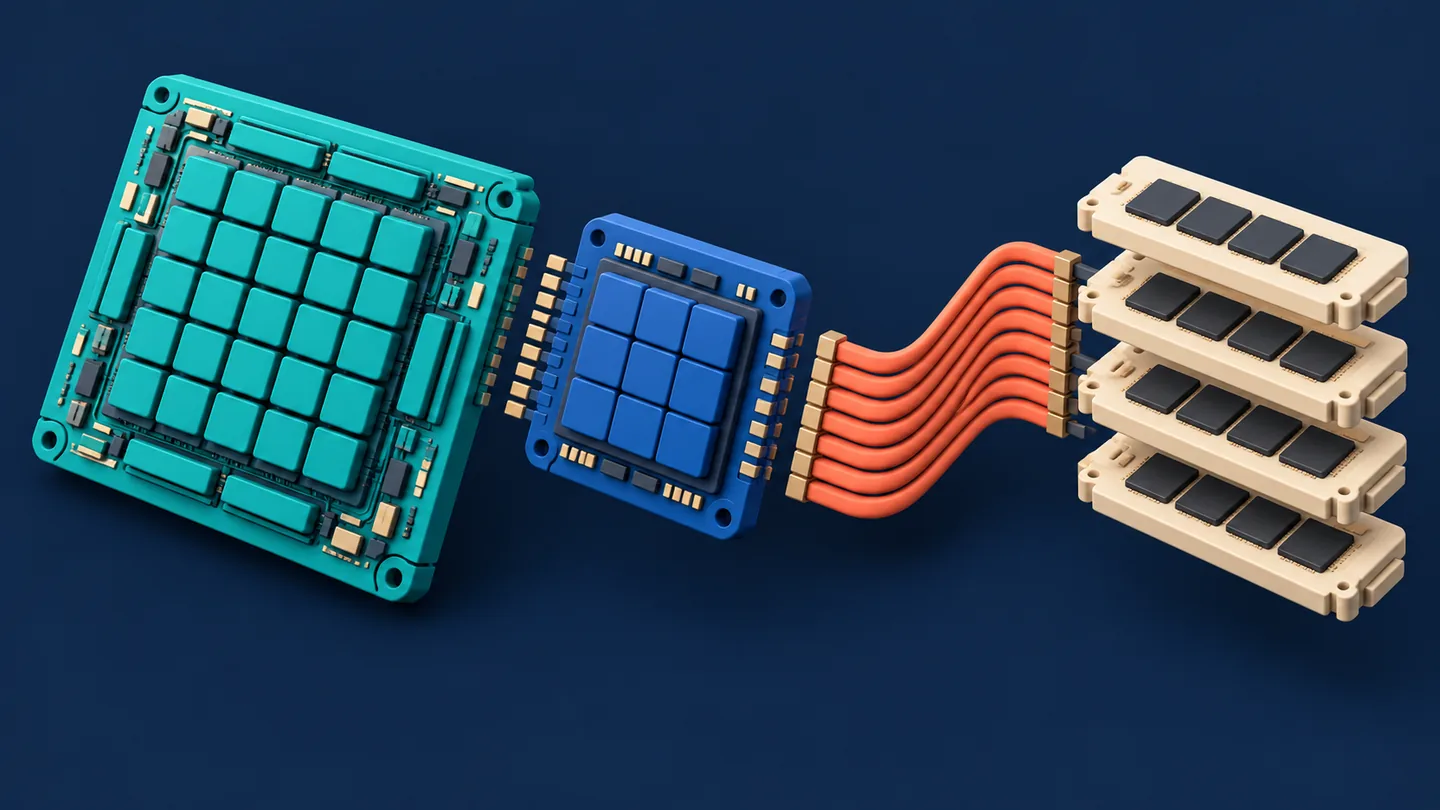
Faster arithmetic helps when arithmetic is what you are waiting for.
4. Three limits that explain disappointing speedups
Compute-bound
The processor has enough work and enough data, but arithmetic throughput limits progress. Large, suitably shaped matrix multiplications can fall into this category. S6
Memory-bandwidth-bound
The arithmetic units could work faster, but data cannot arrive or depart fast enough. Operations that do little arithmetic for each byte moved are vulnerable to this limit. S7
Overhead or insufficient parallelism
The operation may be too small to occupy the device effectively, or launch, synchronization, transfer, and framework costs may dominate. Having many compute units does not mean that one small request uses all of them. [S7, S8]
A useful idealized lower bound is:
execution time ≥ max(
    operation count / applicable peak operation rate,
    bytes crossing the chosen memory boundary / peak bandwidth
)
This is a reasoning tool related to the Roofline performance model. It assumes ideal overlap and excludes many practical costs. For a real model, analyze relevant operations and memory boundaries separately; one whole-model FLOP count cannot capture every bottleneck. S26
A calculated example
Suppose a fictional device offers 100 trillion applicable operations per second and 1 trillion bytes per second of memory bandwidth. An operation performs 1 trillion operations and transfers 100 billion bytes at the memory boundary being analyzed.
| Ideal component | Calculation | Time |
|---|---|---|
| Arithmetic | 10¹² / 10¹⁴ | 10 ms |
| Memory movement | 10¹¹ / 10¹² | 100 ms |
The simplified bound is 100 ms. Doubling arithmetic throughput changes its arithmetic term to 5 ms; the memory term remains 100 ms.
These are invented inputs and exact arithmetic under stated assumptions. They are not measurements of any product.
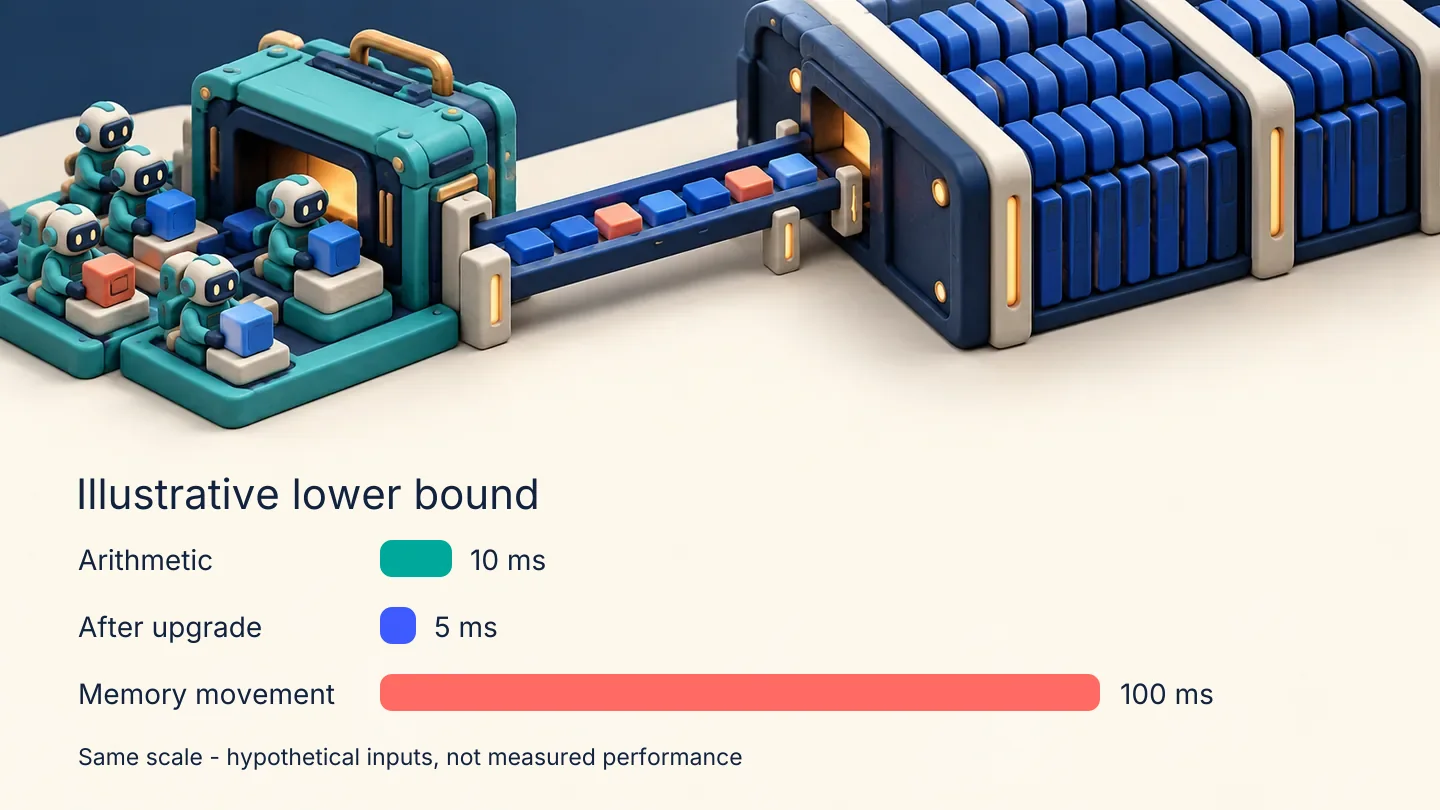
Developer takeaway: Profile the limiter before choosing the upgrade.
5. Memory capacity: can the model actually run?
Capacity and bandwidth answer separate questions. Capacity tells you how much fits; bandwidth tells you how quickly data can move.
Start with raw weight storage:
weight bytes = parameter count × bits per parameter / 8
For a hypothetical model containing exactly 8,000,000,000 parameters:
| Weight representation | Raw bytes per parameter | Raw weight storage |
|---|---|---|
| FP32 | 4 | 32 GB, approximately 29.80 GiB |
| FP16 or BF16 | 2 | 16 GB, approximately 14.90 GiB |
| Ideal packed 8-bit | 1 | 8 GB, approximately 7.45 GiB |
| Ideal packed 4-bit | 0.5 | 4 GB, approximately 3.73 GiB |
Here GB means 10⁹ bytes; GiB means 2³⁰ bytes. The table is a storage calculation, not a device-sizing recommendation.
Quantized formats can also need scales, zero points, padding, higher-precision tensors, or temporary dequantization buffers. A smaller stored model does not automatically execute faster: the kernels and hardware must support its representation efficiently. Evaluate task quality after changing precision. S9
Equal bit width does not mean equal numerical behavior
FP16 and BF16 both occupy two bytes per stored element. BF16 devotes more bits to the exponent and fewer to the fraction than IEEE FP16, giving it a wider normal-value range but coarser precision. It is not simply another spelling for FP16. Mixed-precision execution can use a lower-precision representation for some operations and higher precision elsewhere, including accumulation. The actual choices depend on the hardware and software path. S22
For a practical experiment, keep an FP32 baseline, choose a supported lower-precision path, and compare both performance and your task's quality metrics. Do not treat a dtype cast as an application-quality test.
For autoregressive transformer inference, add KV cache, activations, temporary workspaces, and runtime overhead. Training additionally requires gradients and optimizer state, with actual storage depending on the optimizer and training strategy. Avoid treating a particular bytes-per-parameter training estimate as universal. [S10, S11, S12]
A practical KV-cache calculation
For a conventional full-attention decoder with uniform layer dimensions, an uncompressed KV cache can be estimated as:
KV bytes = 2 × layers × active sequences × cached tokens per sequence
             × KV heads × head dimension × bytes per cache element
The factor 2 accounts for keys and values. This is a tensor-size calculation. Use KV heads, which can differ from query heads.
Take a hypothetical model with 32 layers, 8 KV heads, head dimension 128, a two-byte cache dtype, and 8,192 cached tokens per sequence:
2 × 32 × 1 × 8,192 × 8 × 128 × 2 = 1,073,741,824 bytes = 1 GiB
Sixteen such active sequences require 16 GiB of raw cache, in addition to weights and other memory. This excludes allocator overhead and spare preallocated cache blocks. Sliding-window attention, compressed or quantized caches, shared prefixes, and different architectures can change the calculation. [S10, S11]

Developer takeaway: A model loading successfully proves less than a concurrency test does.
6. Why an LLM request has two different performance stories
For ordinary autoregressive generation, distinguish:
| Phase | What happens | Useful measurement |
|---|---|---|
| Prefill | Process the prompt and build the initial attention cache | Time to first token, with queueing and other overhead identified separately |
| Decode | Generate subsequent tokens using previously cached information | Time per output token and per-user generation rate |
Prefill often exposes substantial parallel work. Low-batch decode often leans heavily on memory bandwidth. These are common tendencies, not laws: model architecture, batch size, sequence length, parallelism, and implementation can change the limiter. S13
The KV cache stores attention keys and values. It does not contain a complete reusable answer. S10

In standard autoregressive generation, prefill processes the prompt, then decode repeatedly uses and extends the KV cache until the response stops. Techniques such as speculative decoding add other execution paths.
Batching can improve aggregate throughput by sharing execution across requests. It also changes memory demand and can introduce waiting. Continuous batching allows a serving runtime to update the active set as requests finish and new work arrives. Its benefit depends on traffic and scheduling. S13
Developer takeaway: Report both how quickly a user sees output and how much work the service sustains. One tokens-per-second number cannot answer both questions. MLCommons explicitly distinguishes prompt and generation timing in its LLM benchmarking guidance. S14
7. The software stack determines which hardware you actually use
Your Python code typically reaches hardware through several layers:
| Layer | Example responsibility |
|---|---|
| Application | Retrieval, authentication, prompt construction, response handling |
| Framework and serving runtime | Tensor operations, scheduling, batching, model execution |
| Compiler and optimized kernels | Graph transformations, operator fusion, matrix multiplication |
| Runtime and driver | Device access, memory, synchronization, launches |
| Accelerator | Execute supported computations |
This is a conceptual stack; implementations may combine layers or use different paths for different operations.
Examples of deployment ecosystems include:
| Hardware | Relevant software path | What to verify |
|---|---|---|
| NVIDIA GPU | PyTorch CUDA build and compatible CUDA libraries; a serving runtime where needed | GPU architecture, package compatibility, kernels, memory |
| AMD GPU | A supported ROCm/PyTorch combination | Exact GPU, OS, framework build, model operators |
| Google TPU | A supported framework and TPU compiler/runtime path | Model compatibility, shapes, topology, profiling |
| AWS Trainium or Inferentia | AWS Neuron and the supported integration for the device and release | Backend, operators, serving path, compilation behavior |
| Apple Neural Engine | Core ML and compatible model conversion/execution | Whether the requested compute units execute the relevant operations |
| Intel client NPU | A supported runtime such as OpenVINO on compatible hardware | Model support, precision, partitioning, fallback |
These are examples, not equivalent APIs. PyTorch's ROCm build deliberately reuses much of the torch.cuda interface; the name in code alone does not prove that the GPU is NVIDIA. S15 Core ML can distribute model execution across CPU, GPU, and Neural Engine. S3
A current AWS detail: AWS describes native PyTorch through TorchNeuron as a beta path on Trn2 and Trn3. Other Neuron integrations and devices have different support paths. Check the current release and exact device before following an installation guide. S16
Watch for partial acceleration
ONNX Runtime uses execution providers to assign supported nodes or subgraphs to hardware-specific implementations. Depending on the provider and configuration, unsupported operations may execute elsewhere, including on the CPU. Some unsupported combinations fail instead. Inspect placement and profiling rather than assuming the entire graph ran on the accelerator. [S17, S18]
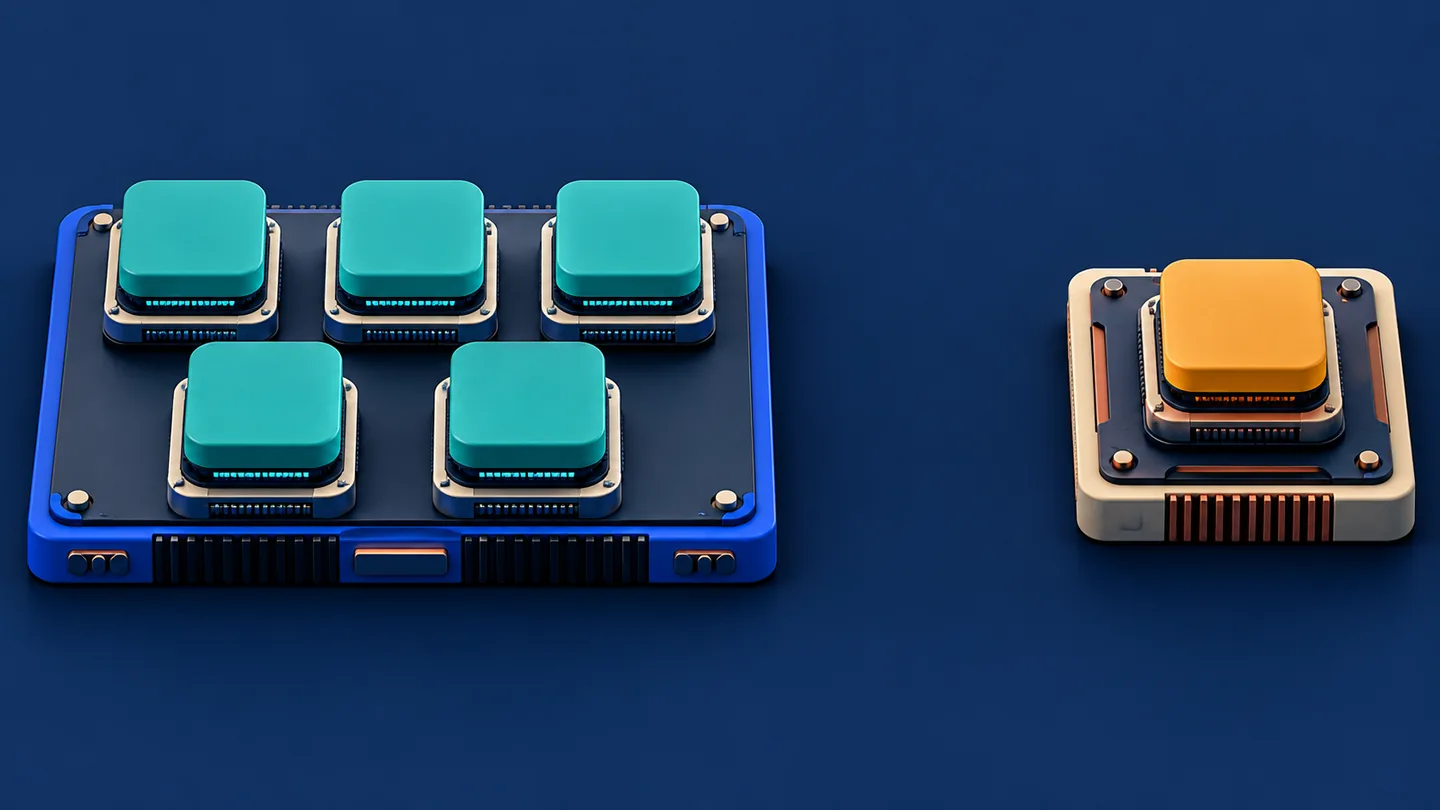
A software ecosystem is part of the hardware you buy.
More chips introduce communication
For training, ordinary data parallelism replicates a model across workers, gives workers different input data, and synchronizes gradients. Tensor parallelism shards individual tensors and their computations across devices. The latter can help distribute a large model, but requires communication between shards. [S23, S24]
Do not assume two devices behave like one device with twice the memory and twice the speed. A serving or training runtime must deliberately distribute the work, and the interconnect becomes part of the performance question. Measure scaling efficiency instead of multiplying a single-device benchmark by the number of devices.
8. A small experiment: change the amount of parallel work
We will time a dense matrix multiplication with increasing row counts. Think of the row count as a stand-in for the amount of work submitted together. This is a microbenchmark, not a language-model benchmark.
Requirements: Python and a working PyTorch installation. CPU execution works with a CPU build. GPU execution requires a supported CUDA or ROCm PyTorch build and compatible device/driver. Use the official installation instructions for your environment. Apple MPS, TPU, and NPU backends are outside this particular experiment.
Save the following as accelerator_lab.py, then run python accelerator_lab.py.
import platform
import statistics
import time

import torch

torch.manual_seed(42)
torch.set_num_threads(4)  # Explicit choice; record and vary for your CPU.
torch.set_float32_matmul_precision("highest")


def sync(device):
    if device.type == "cuda":
        torch.cuda.synchronize(device)


@torch.inference_mode()
def measure(a, b, warmups=5, repeats=20):
    # Inputs and output stay on the chosen device.
    out = torch.empty(
        (a.shape[0], b.shape[1]), dtype=a.dtype, device=a.device
    )
    for _ in range(warmups):
        torch.mm(a, b, out=out)
    sync(a.device)

    elapsed = []
    for _ in range(repeats):
        sync(a.device)
        start = time.perf_counter()
        torch.mm(a, b, out=out)
        sync(a.device)
        elapsed.append(time.perf_counter() - start)
    return statistics.median(elapsed)


def main():
    print("Python:", platform.python_version())
    print("PyTorch:", torch.__version__)
    print("CPU threads:", torch.get_num_threads())
    print("CUDA build:", torch.version.cuda)
    print("HIP build:", torch.version.hip)
    print("FP32 policy: highest")

    devices = [torch.device("cpu")]
    if torch.cuda.is_available():
        devices.append(torch.device("cuda:0"))
        print("GPU:", torch.cuda.get_device_name(0))

    print("rows,device,dtype,median_ms,rows_per_second")
    for rows in (1, 32, 512):
        # Generate once so CPU and GPU use the same FP32 inputs.
        a_cpu = torch.randn(rows, 2048, dtype=torch.float32)
        b_cpu = torch.randn(2048, 2048, dtype=torch.float32)
        reference = a_cpu @ b_cpu
        for device in devices:
            a = a_cpu.to(device)
            b = b_cpu.to(device)
            elapsed = measure(a, b)
            # Validation and transfers are outside the timed region.
            result = (a @ b).cpu()
            torch.testing.assert_close(
                result, reference, rtol=1e-3, atol=1e-3
            )
            print(
                f"{rows},{device},float32,"
                f"{elapsed * 1000:.4f},{rows / elapsed:.2f}"
            )


if __name__ == "__main__":
    main()
GPU execution is asynchronous relative to the host. Synchronization prevents this timer from measuring only submission. The measurement includes Python dispatch and synchronization overhead, which can matter especially for tiny operations. Use device events or a profiler when investigating kernel-level timing. S19
The highest policy requests FP32 internal computation for FP32 matrix multiplications. Changing precision is a separate experiment and needs numerical validation; a returned FP32 tensor does not by itself establish how multiplication was performed internally. S20
This FP32 baseline is deliberately conservative. It is not intended to demonstrate a device's advertised lower-precision matrix throughput.
Validation status for this tutorial: The script was syntax-checked and run successfully on a CPU-only Linux environment using Python 3.12.3 and PyTorch 2.14.1+cpu with four CPU threads. It has not been run on a GPU here. The assertion is a smoke check, not proof of application-level quality; do not interpret this one environment as a hardware benchmark.
What to look for
- Compare latency for the same row count across devices.
- Compare rows per second as row count increases.
- Repeat with a deliberate change in CPU thread count and record it.
- Investigate why a tiny GPU operation might provide little benefit.
- Measure a second path that includes transfers when your application needs them.
The resident-input result answers a narrow question: how fast does this setup multiply these arrays once they are already placed? It excludes model loading, request scheduling, networking, tokenization, and host/device transfer.

9. Build an evaluation that matches your product
Suppose you are choosing infrastructure for a document assistant. Write the acceptance criteria before testing devices.
An illustrative test definition could be:
| Dimension | Example test setting, not a recommended universal default |
|---|---|
| Workload | A fixed, versioned model and tokenizer |
| Inputs | Documented prompt-length distribution, including a long-context group |
| Outputs | Fixed generation settings and documented output-length distribution |
| Load | A controlled arrival pattern plus a burst test |
| Responsiveness | A predefined p95 time-to-first-token target |
| Generation | A predefined time-per-output-token target |
| Quality | A fixed task evaluation and pass threshold |
| Reliability | Errors, timeouts, and out-of-memory events recorded |
| Operations | Cold start, warmup, scaling, and recovery measured separately |
Keep the end-to-end and model-only measurements separate. Record the runtime, driver, dtype, quantization method, batch limits, device count, memory limits, and any compilation or cache warmup. A hardware comparison with different quality settings needs those differences disclosed.
This follows the broader benchmarking principle illustrated by MLPerf: scenario, accuracy requirements, and latency constraints belong beside the performance metric. S21
Read TOPS and FLOPS carefully
TOPS expresses trillions of operations per second; TFLOPS expresses trillions of floating-point operations per second. For a meaningful comparison, ask:
- Which numerical format is counted?
- Does the result assume a particular sparsity pattern?
- Is the figure theoretical peak or measured application throughput?
- What operation-counting convention is used?
- Is it per chip, device, server, or larger system?
NVIDIA's documentation explicitly distinguishes peak arithmetic throughput from achieved application throughput and counts multiply-add as two operations. S7 A laptop NPU TOPS headline and a data-center GPU floating-point headline therefore need their definitions examined before comparison.
Account for the part you cannot accelerate
Consider an illustrative request taking 1 second: 0.4 seconds is model execution; 0.6 seconds is other sequential work. If model execution becomes four times faster, total time becomes:
0.6 + 0.4 / 4 = 0.7 seconds
overall speedup = 1 / 0.7 ≈ 1.43×
This is an Amdahl-style calculation with no overlap and unchanged other stages. It shows why a model benchmark speedup does not translate directly into the same API speedup.
Compare cost per useful result
Use an explicit definition:
cost per accepted request =
    total attributable service cost during the period
    / completed requests meeting the chosen quality and latency criteria
Consider two fictional deployments observed over one hour:
| Deployment | Total hourly cost | Accepted throughput averaged across that hour | Cost per 1,000 accepted requests |
|---|---|---|---|
| A | $1.20 | 2 requests/s | $0.1667 |
| B | $2.00 | 5 requests/s | $0.1111 |
For B, $2 ÷ (5×3,600) × 1,000 = $0.1111. B is cheaper per accepted request under these assumptions despite its higher hourly cost. If demand falls and the deployment remains provisioned, the answer can change.
Include attributable compute, CPU, storage, network, idle capacity, and operating costs in a real evaluation. Keep measured usage separate from a projected utilization assumption.

The cheapest hour can still produce the most expensive result.
10. What changes for different AI developers?
| Your work | Where to focus first | A practical next step |
|---|---|---|
| Calling a hosted model API | End-to-end latency, quality, token use, quotas, and price | Measure your application before making assumptions about provider hardware |
| Self-hosting a model | Memory, operator support, serving runtime, concurrency, and cost | Reproduce one realistic serving benchmark |
| Fine-tuning | Training memory, precision, optimizer strategy, and checkpoint compatibility | Run a small training job and measure peak memory |
| Building an on-device feature | Supported model path, latency, memory, energy, and thermal behavior | Verify device placement and evaluate on target devices |
| Building infrastructure | Scheduling, utilization, placement, recovery, and observability | Measure the service across idle, normal, and burst load |
These are decision guidelines, not a claim that one hardware family always wins a category.

For an initial comparison, follow this order:
- Establish a working baseline and a quality target.
- Confirm the candidate's support for the exact model and configuration.
- Measure peak memory at realistic context lengths and concurrency.
- Identify the dominant bottleneck with profiling.
- Tune batching, precision, and scheduling one change at a time.
- Recheck quality, latency, reliability, and total cost.
The architecture matters because it changes what is possible. The measurement matters because it tells you what happened.
Primary sources
Sources below support factual mechanisms and documented software behavior. Worked numbers and decision frameworks are the tutorial's own calculations and recommendations. No vendor price-performance headline is used as an independent benchmark result.
- S1. Google Cloud, TPU architecture: Read source
- S2. Intel, A Guide to Deploying AI Apps on AI PCs: Read source
- S3. Apple, Deploying Transformers on the Apple Neural Engine: Read source
- S4. AWS, Trainium: Read source
- S5. AWS, Inferentia: Read source
- S6. NVIDIA, Matrix Multiplication Background User's Guide: Read source
- S7. NVIDIA, GPU Performance Background User's Guide: Read source
- S8. NVIDIA, Get Started With Deep Learning Performance: Read source
- S9. Hugging Face, Quantization overview: Read source
- S10. Hugging Face, Cache strategies: Read source
- S11. NVIDIA TensorRT-LLM, Memory Usage: Read source
- S12. Hugging Face, GPU memory usage: Read source
- S13. NVIDIA, Mastering LLM Techniques: Inference Optimization: Read source
- S14. MLCommons, Benchmarking Small LLMs with Llama3.1-8B: Read source
- S15. PyTorch, HIP (ROCm) semantics: Read source
- S16. AWS Neuron Documentation: Read source
- S17. ONNX Runtime, Execution Providers: Read source
- S18. ONNX Runtime, OpenVINO Execution Provider: Read source
- S19. PyTorch, CUDA semantics: Read source
- S20. PyTorch, torch.set_float32_matmul_precision: Read source
- S21. MLCommons, MLPerf Inference benchmark suite: Read source
- S22. Google Cloud, BFloat16 and Cloud TPUs: Read source
- S23. PyTorch, Getting Started with Distributed Data Parallel: Read source
- S24. PyTorch, Large Scale Transformer model training with Tensor Parallel: Read source
- S25. NVIDIA, CUDA programming model: Read source
- S26. Berkeley Lab, The Roofline Model: Read source
